
Low Poly Mushroom 3D Model
A mushroom is one of the cheapest, most versatile forest-floor props in stylized games, and its rounded cap and stubby stem stay perfectly readable at a triangle count so low you can scatter hundreds of them without a second thought.
Matching downloadable assets
Start with these seed models, then generate variants in the same low-poly direction.
Members unlock protected STL access
Use the free OBJ to test the shape. Subscribe for protected STL downloads now; GLB, FBX, USDZ and Unity are shown as production export targets, not direct library downloads yet.

Nature Starter Pack
Low-Poly Pine Tree
A lightweight forest prop with a trunk, two faceted foliage layers and a clean base pivot for scattering.
View details- Triangles
- 24
- Texture
- Flat color
- License
- Commercial use
- Formats
- OBJ
Protected STL download
Production export targets

Cozy Animal Pack
Low-Poly Fox
A stylized animal prop for cozy games, woodland scenes and AR previews.
View details- Triangles
- 24
- Texture
- Flat color
- License
- Commercial use
- Formats
- OBJ
Protected STL download
Production export targets
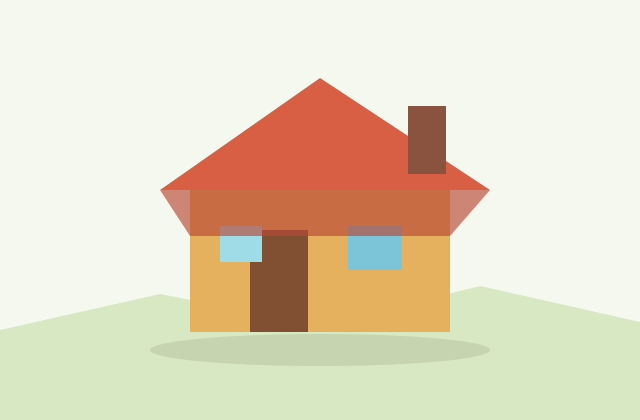
Village Starter Pack
Low-Poly Cottage House
A compact village building for cozy sims, isometric towns and stylized environment blocking.
View details- Triangles
- 18
- Texture
- Flat color
- License
- Commercial use
- Formats
- OBJ
Protected STL download
Production export targets
Highlights
- Scatter-prop mushroom: 80-250 triangles; hero/giant toadstool: 800-2,000 triangles
- Skip LOD swapping — the base mesh is already cheap; instance with color/scale variation instead
- Cap underside gills: a baked radial-gradient material, not sculpted geometry
- Emissive glow (bioluminescent cap, rim light) adds zero extra triangles as a material channel
- Keep the emissive texture on the same UV island to stay inside one shared atlas
- Cap overhangs the stem on most mushroom shapes — needs support unless printed cap-down
- Export STL or 3MF for a watertight print-ready figurine
- GLB for web/Godot/AR, FBX for Unity/Unreal to preserve emissive material settings
A single scatter-prop mushroom, the kind you place by the dozen across a forest floor, reads clearly at just 80 to 250 triangles for the cap and stem combined. A hero mushroom that the camera lingers on, or a giant fantasy toadstool a character stands beside, can reasonably run 800 to 2,000 triangles to give the cap edge a rounder, less faceted silhouette. Unlike a tree or rock, a mushroom rarely benefits from LOD swapping, since the base mesh is already so cheap that a lower-detail version saves almost nothing; instead, spend your optimization effort on instancing the same one or two mushroom meshes across the whole scene with color and scale variation rather than modeling unique mushrooms.
The underside of the cap is a detail most beginners skip and most players never see, but it matters in exactly two situations: a first-person game where the camera can crouch and look up, and a rotatable inspection view like an item-pickup screen or an AR placement demo. For those cases, add a simple radial gill pattern as a separate low-resolution material on the cap underside rather than sculpting individual gills; a baked radial gradient texture reads as gills from a normal viewing distance at zero extra geometry cost.
Fantasy and cozy-game mushrooms lean heavily on emissive materials in a way most other small props do not. A bioluminescent cap, glowing spots, or a soft rim light baked into the same shared atlas as the base color gives a mushroom a magical, story-relevant read (a fairy-ring landmark, a quest-item glow, a dungeon light source) without adding a single extra triangle, since emissive is a material channel, not geometry. Keep the emissive texture on the same UV island as the rest of the cap so it stays inside your single shared atlas rather than forcing a second material slot.
Mushrooms are, alongside dogs and cats, a genuinely popular 3D-printed figurine on marketplaces like Etsy and Cults3D, and the shape has a specific printing quirk: the cap overhangs the stem on almost every real mushroom silhouette, which means printing cap-up needs support material under the cap's outer edge unless you flatten that overhang angle. The cleaner fix for print-only mushrooms is to design the model with a slightly steeper, more vertical cap profile, or print the piece cap-down on a raft, both of which the low poly faceted style hides well since flat angular planes disguise support-removal marks better than smooth curves. Export STL or 3MF for a watertight single-shell print.
Mushrooms populate cozy farming and forest-exploration games, fantasy dungeon environments as a fairy-tale prop or literal loot pickup, terrarium and diorama scenes, and standalone desk figurines. Export GLB for the web, Godot and AR placement, or FBX for Unity and Unreal to keep any emissive material settings intact on import. Everything generated here is yours to use commercially with no attribution required, so a mushroom you generate can populate a shipped game's forest biome or become a sold print figurine with no licensing concern. Generate one cap style you like, then request color and glow variants so a whole fairy-ring cluster reads as a matched, deliberate set.
Build the forest floor
Frequently asked questions
How many triangles does a low poly mushroom need?
A scatter-prop mushroom placed in numbers across a forest floor reads clearly at 80-250 triangles. A hero or giant fantasy toadstool the camera lingers on can run 800-2,000 for a rounder cap edge.
Do I need to model the gills under the cap?
Only if the camera can look up at the underside, such as a first-person crouch view or a rotatable inspection screen. A baked radial-gradient material on the underside reads as gills at zero extra geometry cost.
Can I make a glowing fantasy mushroom?
Yes. Bake an emissive channel (bioluminescent cap, glowing spots, rim light) into the same shared atlas as the base color. Emissive is a material property, so it costs zero extra triangles.
Is a low poly mushroom good for 3D printing?
Yes, with one quirk: the cap overhangs the stem on most mushroom shapes, so a cap-up print usually needs support under the cap edge unless you print it cap-down on a raft or flatten the overhang angle.
Can I sell mushroom figurines or use them in a commercial game?
Yes. Generated mushroom models are yours to use commercially with no attribution required, including sold prints and shipped games.
Related
Browse allNeed a custom low-poly model?
Generate one from a text prompt or reference image, then export GLB, FBX, OBJ or STL.
Open the generator