
Low Poly Truck 3D Model
A low poly truck has to read heavier than a car: the long wheelbase, high cab, visible cargo volume and correctly placed wheel pivots all matter more than tiny panel detail.
Matching downloadable assets
Start with these seed models, then generate variants in the same low-poly direction.
Members unlock protected STL access
Use the free OBJ to test the shape. Subscribe for protected STL downloads now; GLB, FBX, USDZ and Unity are shown as production export targets, not direct library downloads yet.
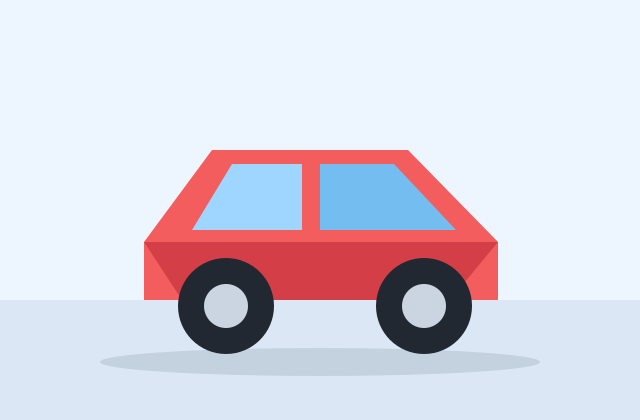
Vehicle Starter Pack
Low-Poly Arcade Car
A simple separated-wheel vehicle mesh for racing prototypes, traffic fillers and WebGL demos.
View details- Triangles
- 30
- Texture
- Material slots
- License
- Commercial use
- Formats
- OBJ
Protected STL download
Production export targets

Nature Starter Pack
Low-Poly Pine Tree
A lightweight forest prop with a trunk, two faceted foliage layers and a clean base pivot for scattering.
View details- Triangles
- 24
- Texture
- Flat color
- License
- Commercial use
- Formats
- OBJ
Protected STL download
Production export targets

Cozy Animal Pack
Low-Poly Fox
A stylized animal prop for cozy games, woodland scenes and AR previews.
View details- Triangles
- 24
- Texture
- Flat color
- License
- Commercial use
- Formats
- OBJ
Protected STL download
Production export targets
Highlights
- Background truck prop: 600-1,500 triangles
- Drivable arcade/logistics truck: 2,000-5,000; hero truck: 8,000-14,000 with LODs
- Every wheel origin must sit exactly at axle center
- Front wheels need a steering parent plus a spinning wheel child node
- Cab, cargo bed/trailer and wheels should be separate meshes
- Use simple box colliders for chassis, cab and cargo bed instead of render-mesh collision
- One 1024px atlas supports fleet recolors and side-panel markings
- FBX preserves wheel hierarchy; GLB works for Godot/WebGL city scenes
A background delivery truck or city prop can sit at 600 to 1,500 triangles. A drivable arcade or logistics truck usually needs 2,000 to 5,000 triangles so the cab, cargo bed, suspension stance and wheels stay readable from gameplay camera angles. A hero semi-truck or armored utility truck can reach 8,000 to 14,000 triangles with LODs, especially if the trailer, grille, mirrors and cargo add-ons are separate pieces.
The non-obvious vehicle detail is pivot placement. Each wheel must have its origin at the exact axle center, with the local rotation axis aligned consistently across all wheels, or steering and suspension scripts will wobble visibly. Front wheel pivots also need a separate steering parent above the spinning wheel node so the tire can turn left-right while still rotating forward. Keep the cab, cargo bed or trailer and wheels as separate meshes so physics and damage states can address them independently.
Truck collision should never be the render mesh. Use one box for the chassis, one for the cab, and one for the cargo bed or trailer, leaving wheels to raycast or simple cylinder colliders depending on the engine. In Unity, WheelCollider expects suspension distance and wheel radius to match the visual wheel placement; in Unreal, Chaos Vehicles likewise expects correct axle spacing. A visually nice truck with inaccurate wheel centers will drive badly even at low speed.
Use one 1024px atlas for paint, grille, tires, lights and cargo markings, then create fleet variants by recoloring the cab and side panels. Export FBX for Unity and Unreal to preserve wheel hierarchy and pivots, or GLB for Godot, WebGL and city visualization. Generated truck models are yours to use commercially with no attribution required, including delivery games, traffic simulations, paid vehicle packs and AR demonstrations.
Build the vehicle set
Frequently asked questions
How many triangles should a low poly truck have?
A background truck prop can be 600-1,500 triangles. A drivable truck usually needs 2,000-5,000, while a close hero truck can use 8,000-14,000 with LODs.
Where should truck wheel pivots be placed?
Each wheel origin should sit at the exact axle center with consistent local rotation axes. Front wheels need a steering parent node above the spinning wheel child.
Should the cab and cargo bed be one mesh?
Usually no. Keep cab, cargo bed or trailer, and wheels separate so physics, damage states and fleet variants can address them independently.
What collision should a low poly truck use?
Use simple boxes for chassis, cab and cargo area, plus wheel-specific colliders or raycasts. Exact render-mesh collision is expensive and usually drives poorly.
Can I use generated trucks commercially?
Yes. Generated truck models are yours to use commercially with no attribution required, including games, simulations, AR demos and paid vehicle packs.
Related
Browse allNeed a custom low-poly model?
Generate one from a text prompt or reference image, then export GLB, FBX, OBJ or STL.
Open the generator