
Low Poly Dragon 3D Model
A dragon is a hero creature, so it earns a higher polygon budget and a real skeleton, with wings, a spiked spine and a long tail that all need to deform convincingly in flight and in battle.
Matching downloadable assets
Start with these seed models, then generate variants in the same low-poly direction.
Members unlock protected STL access
Use the free OBJ to test the shape. Subscribe for protected STL downloads now; GLB, FBX, USDZ and Unity are shown as production export targets, not direct library downloads yet.

Nature Starter Pack
Low-Poly Pine Tree
A lightweight forest prop with a trunk, two faceted foliage layers and a clean base pivot for scattering.
View details- Triangles
- 24
- Texture
- Flat color
- License
- Commercial use
- Formats
- OBJ
Protected STL download
Production export targets

Cozy Animal Pack
Low-Poly Fox
A stylized animal prop for cozy games, woodland scenes and AR previews.
View details- Triangles
- 24
- Texture
- Flat color
- License
- Commercial use
- Formats
- OBJ
Protected STL download
Production export targets
Village Starter Pack
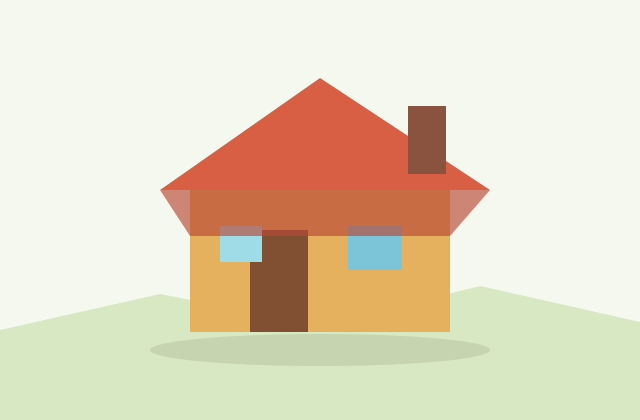
Low-Poly Cottage House
A compact village building for cozy sims, isometric towns and stylized environment blocking.
View details- Triangles
- 18
- Texture
- Flat color
- License
- Commercial use
- Formats
- OBJ
Protected STL download
Production export targets
Highlights
- Desktop or console boss: 8,000 to 20,000 triangles with aggressive LOD
- Mobile dragon trimmed toward 5,000 to 8,000 triangles
- Rig needs a wing bone chain plus neck and tail joints
- Extra edge loops at wing-shoulder and tail bends for clean deformation
- FBX keeps the full rig and clips for Unity and Unreal; GLB for Godot and web
- 1024 to 2048px atlas with metallic-roughness and emissive eyes
- Print as STL or 3MF; use a perched pose to reduce wing supports
- AI-generated dragon is yours to ship, sell or print commercially
Unlike a simple prop, a dragon is usually a boss or signature creature, and its triangle budget reflects that. Where a small animal might live on a few thousand triangles, a low poly dragon meant to fill the screen during a fight commonly runs 8,000 to 20,000 triangles on desktop and console, with LOD levels that drop sharply for distant flybys. On mobile you would trim a dragon down toward 5,000 to 8,000 triangles and lean even harder on LOD, accepting a simpler wing membrane and fewer spine spikes to hold the framerate during a big encounter.
A dragon lives or dies by its rig. The skeleton needs careful joints through the long neck and tail, plus a wing chain with enough bones to fold, flap and glide without the membrane creasing badly. Keep extra edge loops where the wings meet the shoulders and where the tail bends, because those areas take the most deformation. Place the origin at the dragon feet or body center depending on whether it walks or flies, and decide a consistent facing axis so flight animations and aim logic line up. Clean topology here pays off every time an animator touches the asset.
Format choice carries the rig from your tool into the engine. Export FBX for Unity and Unreal, which preserves the skeleton, skin weights, multiple animation clips and the material slots you might use for body, wings and glowing eyes. GLB is the right export for Godot, Three.js and web showcases, since it bundles the mesh, skeletal animation and metallic-roughness materials into one self-contained file that renders correctly in the model-viewer component. OBJ can capture a static trophy pose but will strip the rig and animation, so avoid it for an animated boss.
Materials are where a low poly dragon gets its menace without heavy texture work. A 1024 to 2048 pixel atlas is appropriate for a hero creature, and packing metallic-roughness data lets the scales catch a hard rim light while wing membranes stay matte. Many stylized dragons use baked gradient or flat-color scales with an emissive map driving glowing eyes, mouth or chest energy, which reads dramatically in real time and stays cheap to render. Bake any ambient occlusion into the atlas so deep folds between scales and wing bones still read at lower light.
Beyond games, a low poly dragon makes a striking 3D print: export STL or 3MF and the angular scales and spread wings look bold as a desk figure or tabletop miniature, though spread wings and a raised tail will need support, so a perched or coiled pose is friendlier to print. The dragon also works in AR through a GLB or USDZ for a virtual statue. Whatever you generate is yours, so it is fine to ship the dragon as a game boss, sell printed figures or include it in an asset pack with no attribution. Start from the prefilled prompt, adjust the wings, horns or scale color, then download a rigged FBX or GLB for your engine, or an STL for printing.
Build out the boss encounter
Frequently asked questions
Why does a dragon need more polygons than other animals?
A dragon is usually a hero or boss creature filling the screen, with wings, spikes and a long tail to deform. Budget 8,000 to 20,000 triangles on desktop and use LOD for distance.
Does the dragon come rigged for flight?
Generated game-ready dragons can include a skeleton with a wing bone chain plus neck and tail joints. Export FBX for Unity and Unreal or GLB for Godot and Three.js to keep it.
How do I make a dragon look menacing cheaply?
Use a 1024 to 2048px atlas with metallic-roughness scales and an emissive map for glowing eyes or chest energy. It reads dramatically in real time and stays cheap to render.
Can I 3D print a low poly dragon?
Yes. Export STL or 3MF for a watertight print. A perched or coiled pose prints more easily than spread wings and a raised tail, which need support.
Can I use the dragon as a commercial game boss?
Yes. You own the AI-generated dragon, so shipping it as a boss, selling printed figures or including it in a paid asset pack is fine without attribution.
Related
Browse allNeed a custom low-poly model?
Generate one from a text prompt or reference image, then export GLB, FBX, OBJ or STL.
Open the generator