
Low Poly Axe 3D Model
An axe has a different animation problem from a sword: most of its mass sits at the head, so the grip, pivot and collider need to support heavy swing arcs rather than straight thrusts. A low poly axe should look weighty without spending unnecessary triangles on a perfectly round handle.
Matching downloadable assets
Start with these seed models, then generate variants in the same low-poly direction.
Members unlock protected STL access
Use the free OBJ to test the shape. Subscribe for protected STL downloads now; GLB, FBX, USDZ and Unity are shown as production export targets, not direct library downloads yet.

Nature Starter Pack
Low-Poly Pine Tree
A lightweight forest prop with a trunk, two faceted foliage layers and a clean base pivot for scattering.
View details- Triangles
- 24
- Texture
- Flat color
- License
- Commercial use
- Formats
- OBJ
Protected STL download
Production export targets

Cozy Animal Pack
Low-Poly Fox
A stylized animal prop for cozy games, woodland scenes and AR previews.
View details- Triangles
- 24
- Texture
- Flat color
- License
- Commercial use
- Formats
- OBJ
Protected STL download
Production export targets
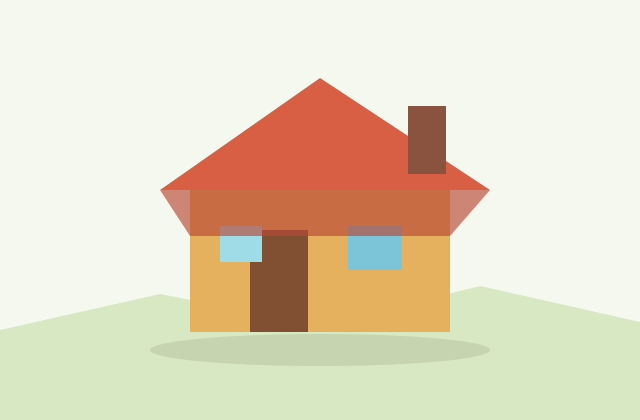
Village Starter Pack
Low-Poly Cottage House
A compact village building for cozy sims, isometric towns and stylized environment blocking.
View details- Triangles
- 18
- Texture
- Flat color
- License
- Commercial use
- Formats
- OBJ
Protected STL download
Production export targets
Highlights
- Simple mobile axe prop: 150-350 triangles
- Game-ready one-handed axe: 500-1,200 triangles
- Desktop hero battle axe: 2,000-5,000 triangles
- Grip attachment and visual center of mass are different; the mass sits near the head
- Export a named grip node plus optional center-of-mass marker for throws/physics
- Hit collider should cover the blade edge simply, not every decorative notch
- Blade bevels should be geometry so highlights read during swings
- Printable blade tips need roughly 0.8mm resin or 1.2mm FDM thickness
A simple chopping axe prop for mobile can use 150 to 350 triangles: a faceted handle, wedge head and small grip. A game-ready one-handed axe usually sits between 500 and 1,200 triangles with a beveled blade and leather wrap. A desktop hero battle axe can use 2,000 to 5,000 triangles for a double head, runes, spikes and layered metal plates. If the axe is one of many weapons in an inventory grid, keep the silhouette strong and the texture simple; close-up inspection is the only reason to spend budget on rivets and engravings.
The object-specific technical fact is center of mass. For melee animation, put the hand attachment point on the grip, but understand that the visual center of mass is near the axe head. Swing trails, hit timing and physics drops should be authored around that head-heavy feel. If the pivot is placed at the geometric center for convenience, attack arcs will feel like a baton rather than a chopping weapon. Export a named grip node for character sockets and a separate center-of-mass marker if the axe can be thrown or simulated.
Collider setup should follow the blade edge, not the whole decorative silhouette. Use one capsule or box along the handle for physics pickup, plus a simple convex or box collider over the blade for hit detection. Do not trace every spike or notch; it creates noisy combat results. The blade edge itself can be visually thin, but the collider should be slightly thicker so fast swings do not tunnel through targets between frames.
Materials should make the head and handle distinct at distance. A single 512px atlas can hold wood grain, leather bands and metal facets. Keep blade bevels as geometry, not only texture, because the bevel catches highlights during swings and makes the axe readable in motion. For 3D printing, thicken blade tips to at least 0.8mm for resin or 1.2mm for FDM, and avoid long separate spikes unless they are fused to the head.
Low poly axes work as RPG weapons, lumber tools, Viking props, survival crafting items, AR costume accessories and tabletop miniatures. Export FBX for Unity and Unreal weapon sockets, GLB for Godot and web previews, or STL/3MF for a printable fused version. Generated axe models are yours for commercial use with no attribution required.
Complete the weapon kit
Frequently asked questions
How many triangles should a low poly axe use?
A simple mobile axe can be 150-350 triangles. A game-ready one-handed axe usually needs 500-1,200, and a desktop hero battle axe can use 2,000-5,000.
Where should the axe pivot or attachment be?
Put the character attachment at the grip, but account for the center of mass near the head. For thrown or physics axes, export a separate center-of-mass marker.
What collider should an axe use?
Use a simple handle collider for pickup physics and a thicker blade collider for hit detection. Avoid tracing every decorative spike or notch.
Should blade bevels be modeled?
Yes. Even small geometric bevels catch highlights during swings and make the blade read better than a texture-only edge.
Can generated axe models be used commercially?
Yes. Generated axe models are yours for commercial games, AR previews, tabletop prints and asset packs with no attribution required.
Related
Browse allNeed a custom low-poly model?
Generate one from a text prompt or reference image, then export GLB, FBX, OBJ or STL.
Open the generator